A fantastic image loading library that does everything I need and more! It has animation support, subsampling image support, and it is just easy to use.
This library is incredible! It gives a glassmorphic look that is clean and looks great! It's easy to use, odes what it says, and it pretty performant!
Today, however, I will be talking about Haze in particular and a unique problem I ran into.
The Prologue
I have this side project Civit Ai Model Browser. It is a fun project for me. A few years ago I got into AI image generation. Not for any public purposes, I was curious and wanted to run it locally on my own computer.
There is this website called Civit Ai that allows users to upload their own generated models for others to use. I had frequented on the site around the time and I had noticed that after scrolling (it was paging scrolling) for a few loads, the website started to get REAL slow. To the point that loading new models took 10+ seconds, and I wasn't even that far down!
After doing some digging, I noticed that Civit Ai has an api! So, I made the Civit Ai Model Browser (CAMB) in compose multiplatform! One to learn, two because I wanted to view models but the website was being too slow.
The Scene
This started as I was browsing GitHub topics for compose multiplatform projects. I came across this interesting one Backdrop. It is similar to Haze in what it does but with a different effect. It matches Apple's Liquid Glass effect. I know, I know! Liquid Glass was HORRIBLE! Yet, this was due to many factors. I think the Liquid Glass effect itself was clean, but how it was used was the problem. It didn't allow for accessibility. But, I did like how it looked.
Currently, in my CAMB, I use Haze.
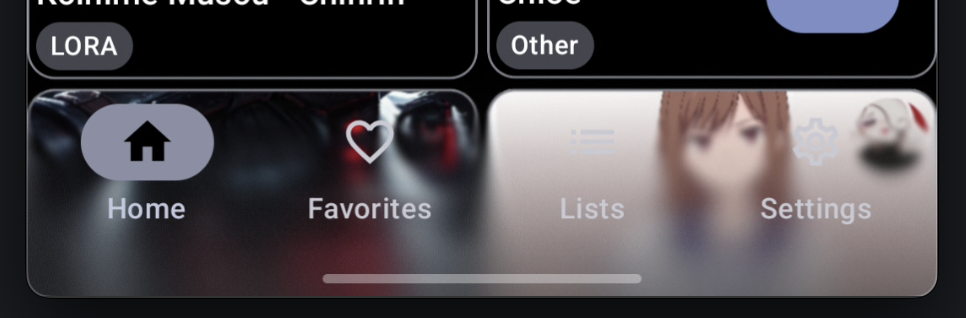
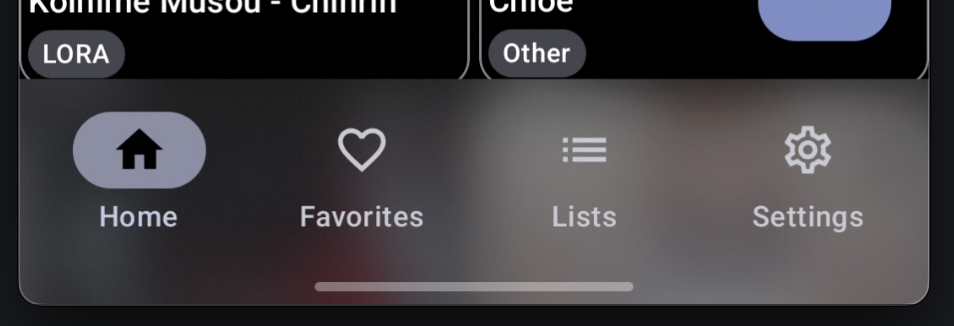
With Progressive Blur: Without Progressive Blur:
And I REALLY love the look. It adds a little something to the app that having a single colored background didn't have.
However, the setup for it across the different screens, while minimal, yes, is in 10 different screens. Could I have set it up better in the first place? Yes, of course, did I? No.
The Issue
I wanted to add in Backdrop. I really liked the look of it, and I was visualizing it in my head, and I liked what I mentally saw.
My problem came in the form of, "How do I add Backdrop cleanly?"
In all of those 10 different screens, I had something like this for Haze:
I had an epiphany! After having looked at SO MANY different compose projects, I noticed a pattern. They all have their own state they pass around.
So, why don't I do that, too?
@Stable
class BlurKindState(
val blurKind: BlurKind,
val showBlur: Boolean,
val hazeState: BlurKindHazeState,
val liquidState: BlurKindLiquidState,
)
@Stable
class BlurKindHazeState(
val hazeState: HazeState,
val hazeStyle: HazeStyle,
val useProgressive: Boolean,
)
@Stable
class BlurKindLiquidState(
val backdrop: LayerBackdrop,
val backgroundColor: Color,
val blurAmount: Float,
val refractionHeight: Float,
val refractionAmount: Float,
val depthEffect: Boolean,
val chromaticAberration: Boolean,
)
@Serializable
enum class BlurKind {
Haze,
LiquidGlass
}
Perfect! This should make it nice and easy to, not only move these variables around easily, but also if I want to add a new effect, I can add something new to the BlurKindState!
Let's include a function that builds these for me:
@Composable
fun rememberBlurKindState(
dataStore: DataStore = koinInject(),
backgroundColor: Color = MaterialTheme.colorScheme.surface,
): BlurKindState {
val showBlur by dataStore.rememberShowBlur()
val useProgressive by dataStore.rememberUseProgressive()
val blurKind by dataStore.rememberBlurKind()
val blurType by dataStore.rememberBlurType()
val hazeState = rememberHazeState(showBlur)
val hazeStyle = blurType.toHazeStyle()
val backdrop = rememberLayerBackdrop {
drawRect(backgroundColor)
drawContent()
}
val liquidGlassBlurAmount by dataStore.rememberLiquidGlassBlurAmount()
val liquidGlassRefractionHeight by dataStore.rememberLiquidGlassRefractionHeight()
val liquidGlassRefractionAmount by dataStore.rememberLiquidGlassRefractionAmount()
val liquidGlassDepthEffect by dataStore.rememberLiquidGlassDepthEffect()
val liquidGlassChromaticAberration by dataStore.rememberLiquidGlassChromaticAberration()
return remember(
blurKind,
hazeState,
hazeStyle,
backdrop,
showBlur,
useProgressive,
backgroundColor,
liquidGlassBlurAmount,
liquidGlassRefractionHeight,
liquidGlassRefractionAmount,
liquidGlassDepthEffect,
liquidGlassChromaticAberration
) {
BlurKindState(
blurKind = blurKind,
showBlur = showBlur,
hazeState = BlurKindHazeState(
hazeState = hazeState,
hazeStyle = hazeStyle,
useProgressive = useProgressive,
),
liquidState = BlurKindLiquidState(
backdrop = backdrop,
backgroundColor = backgroundColor,
blurAmount = liquidGlassBlurAmount,
refractionHeight = liquidGlassRefractionHeight,
refractionAmount = liquidGlassRefractionAmount,
depthEffect = liquidGlassDepthEffect,
chromaticAberration = liquidGlassChromaticAberration,
)
)
}
}
Beautiful!!!
Now, what about condensing the rest of it? I don't exactly want to be having all of these variables in those 10 places, right? Let us start with the easy one, the source.
fun Modifier.setBlurKindSource(blurKindState: BlurKindState) = if (blurKindState.showBlur) {
when (blurKindState.blurKind) {
BlurKind.Haze -> hazeSource(blurKindState.hazeState.hazeState)
BlurKind.LiquidGlass -> layerBackdrop(blurKindState.liquidState.backdrop)
}
} else this
Awesome! Now, originally, I did have the source just have both effects together, but after thinking about it, I want to limit what gets drawn when not in use.
Now, lets see how the Scaffold from earlier changes:
SO MUCH CLEANER! Similar setup to Haze, but allows me to handle many more effects in this single file! I will probably end up breaking things out into their own files when I add one more effect, but for now, it's fine.
Some things to note here:
I am still applying the Haze effects scope here.
This allows me to allow further customization and split apart the progressive for the top bar and bottom bar separately.
I am still passing the showBlur into some places, that is to make sure the background for some components can have a transparent background.
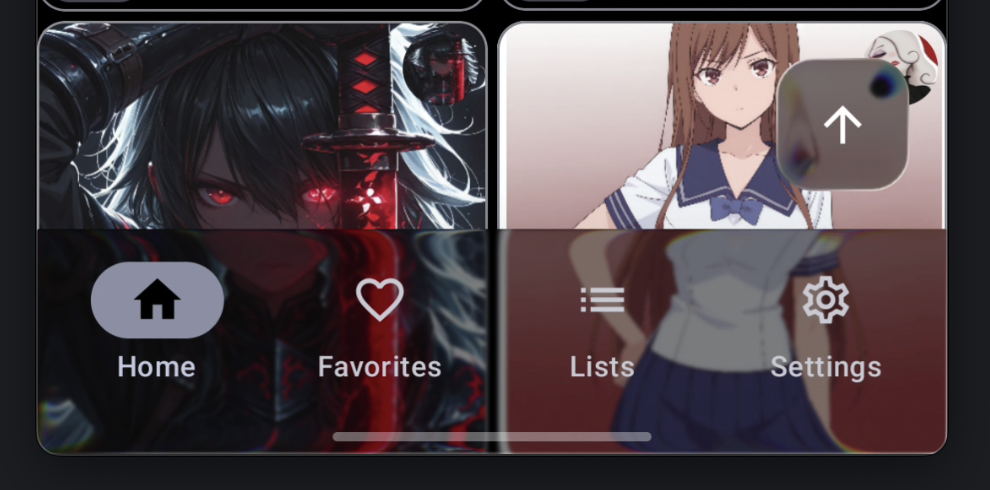
You might have noticed that the FloatingActionButton now has some support, but only for the liquid glass effect.
Without the liquid glass effect on the FAB, it looked a little off. So, I started to play around with this and noticed it actually looked REALLY good with the same liquid glass effect! So, I ran with it.
And now lets see how Liquid Glass looks with the default values:
The Conclusion
I know with so much Ai, the need for this kind of solution may seem a bit low, but it was fun figuring this out! I felt so happy with how clean this solution!
My experience with Ai has been mixed. It's been good sometimes and sometimes bad. With this problem, I don't think Ai would have given me a good enough solution that keeps things clean and easy to make changes to.